
Professional Headshots: The Complete Guide to Getting Yours Right

This article is part of our Professional Headshots collection.
Originally Published: November 19, 2024 | Last Updated: February 16, 2026
A professional headshot is a high-resolution portrait photo -- typically from the chest up -- used for business profiles, job applications, and corporate websites. It is the single most viewed image of you in your career, and for 94% of people, it is the very first impression they make online.
If someone Googles your name or lands on your LinkedIn, your headshot is doing the talking before you get a word in.
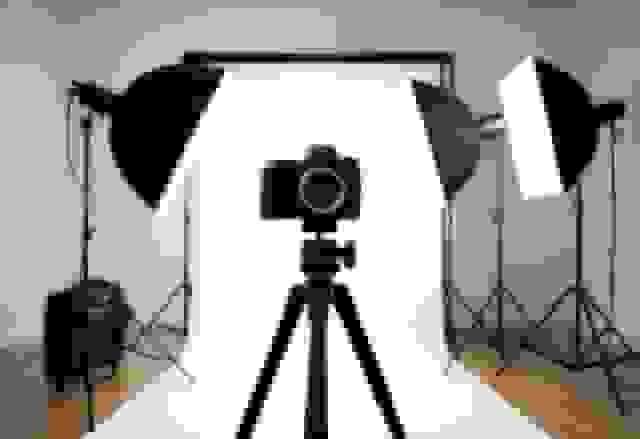
The good news? You have more options than ever for getting a great one. You can book a photographer, do it yourself at home, use an AI headshot generator like BetterPic, or set up a corporate photo day for your whole team. Each approach has tradeoffs in cost, speed, and quality -- and the right pick depends on your situation.
This guide covers all of it: what makes a headshot actually good, how each method works, what to wear, how to pose, the lighting and background details that matter, LinkedIn's exact photo specs, and the mistakes that quietly hurt your image.
What You Will Learn
- Your headshot is the most-viewed photo of your entire career -- it deserves real thought.
- AI generators like BetterPic deliver studio-quality results in under two hours at a fraction of what photographers charge.
- Lighting and wardrobe choices matter more than the camera you use -- get those right and everything else follows.
What Exactly Is a Professional Headshot and Why Does It Matter?
A professional headshot is a clean, well-lit photo of your face and upper shoulders, taken with the purpose of representing you in a work context. It is not a selfie. It is not a cropped group photo. It is a deliberate image designed to communicate competence, approachability, and trustworthiness.
Profiles with professional headshots get 21 times more views and 36 times more messages on LinkedIn than profiles without one.
That number is not surprising when you think about how we process faces. People form judgments about trustworthiness in as little as 100 milliseconds of seeing a face. Your headshot is making that argument for you thousands of times -- on LinkedIn, your company website, email signatures, Zoom thumbnails, and conference speaker pages.
Here is who needs one:
- Job seekers -- recruiters check LinkedIn before they check your resume
- Freelancers and consultants -- clients want to see who they are hiring
- Salespeople and account managers -- a real face builds trust faster than a logo
- Executives and founders -- your image represents the company
- Anyone with a LinkedIn profile -- which is pretty much everyone in a professional role
If people can find you online, a strong headshot makes them more likely to trust you, respond to you, and want to work with you.
What Are the 4 Ways to Get Professional Headshots?
There are four main approaches, each suited to different budgets, timelines, and needs. Here is a quick comparison before we dig into each one.
| Method | Cost | Turnaround | Quality | Best For |
|---|---|---|---|---|
| AI Generator (BetterPic) | $29-$49 | Under 2 hours | High (4K studio quality) | Remote teams, LinkedIn, job seekers |
| Professional Photographer | $200-$1,000+ | Days to weeks | Very high | Executives, actors, public figures |
| DIY at Home | Free | Immediate | Variable | Zero budget, existing photo skills |
| Corporate On-Site | $1,000-$5,000+ | Scheduled day | Consistent | Large local teams (20+ people) |
How Do AI Headshot Generators Work?
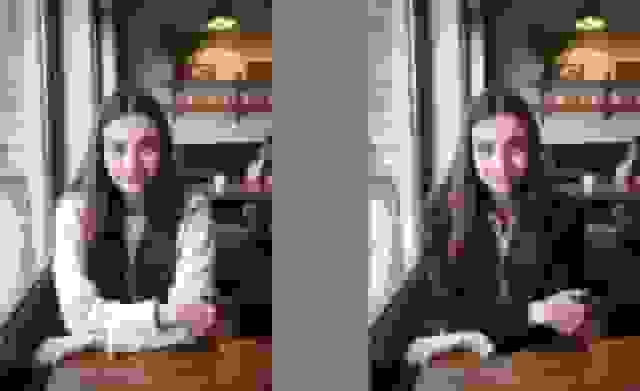
AI headshot generators take your casual selfies and turn them into polished, studio-quality portraits -- no camera, no studio, no photographer needed.
Here is the process with BetterPic: you upload 6 to 15 photos of yourself (different angles, decent lighting, nothing fancy). The AI studies your face and builds a model of your features. Then it generates brand-new professional images from scratch -- new lighting, new backgrounds, new outfits -- while keeping your face accurate.
These are not filters slapped on your selfies. The AI creates entirely new pixels, which is why it can put you in a suit in front of a grey studio backdrop even though you uploaded photos in a t-shirt at your kitchen table.
The whole thing takes about two hours, and you get dozens of options to choose from.
Why this approach works well for most people:
- Cost: $29-$49 vs. $200-$1,000+ for a photographer
- Speed: Results in under 2 hours vs. days or weeks
- Variety: Multiple backgrounds and outfit styles from one upload
- Convenience: Do it from your couch at midnight if you want
- Quality: 4K resolution that holds up on any platform
BetterPic is the standout option here. The output is sharp, the likeness is accurate, and you get enough variety to cover LinkedIn, your company bio, and email signature all from one session. For most professionals who need a solid headshot without the hassle of booking a photographer, it is the best path forward.
When Should You Hire a Professional Photographer?
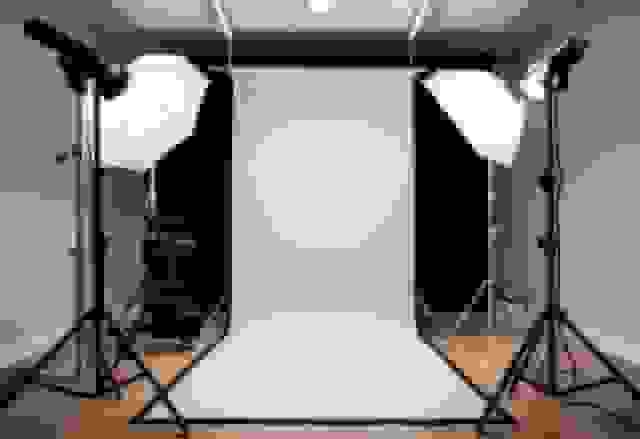
A studio session with a professional photographer means showing up to their space (or having them come to yours), sitting in front of real lights and a real camera, and getting coached through poses and expressions in real time.
The biggest advantage is human direction -- a good photographer will notice when your smile looks forced, adjust your chin angle, and tell you to relax your shoulders.
That real-time feedback is hard to replicate any other way. A photographer sees the full picture and makes micro-adjustments that add up to a noticeably polished result.
The tradeoffs:
- Cost: $200 to $1,000+ depending on the photographer and your city
- Time: 1-2 hours for the shoot, then days or weeks for editing and delivery
- Logistics: You need to travel there, schedule around their availability, and plan your wardrobe ahead of time
This is the right choice if you are a C-suite executive whose headshot will be on the company homepage, an actor building a portfolio, or a public figure whose image carries significant weight. For everyone else, the cost and hassle are hard to justify when AI tools deliver comparable quality for digital use.
Can You Take Professional Headshots at Home?
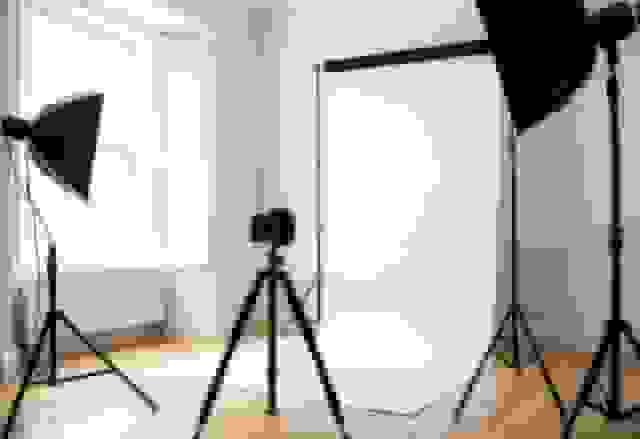
Yes, but it is harder than it sounds. DIY headshots mean using your phone or personal camera, setting up your own lighting, and handling the editing yourself.
The single most important thing for a good DIY headshot is soft, directional light -- stand facing a large window with indirect sunlight and you are halfway there.
Here is a basic setup that works:
- Face a large window (not in direct sunlight) for soft, even light on your face
- Use a plain wall as your background -- white, light grey, or muted blue work well
- Set your phone on a tripod at eye level, about 4-6 feet away
- Use the self-timer or a remote shutter so you are not reaching for the phone
- Take at least 50 shots with slight variations in expression and angle
The honest limitations:
- Phone cameras can distort your face slightly compared to a portrait lens
- Without professional editing skills, you will struggle to fix skin tones and stray hairs
- It takes trial and error to get lighting, angle, and expression all right at once
- The results are inconsistent -- you might get one usable shot out of 50
This approach makes sense if you have zero budget and some photography experience. Otherwise, spending $29-$49 on BetterPic and uploading those same selfies will give you results that consistently outperform phone-only DIY shots.
What About Corporate On-Site Photography?
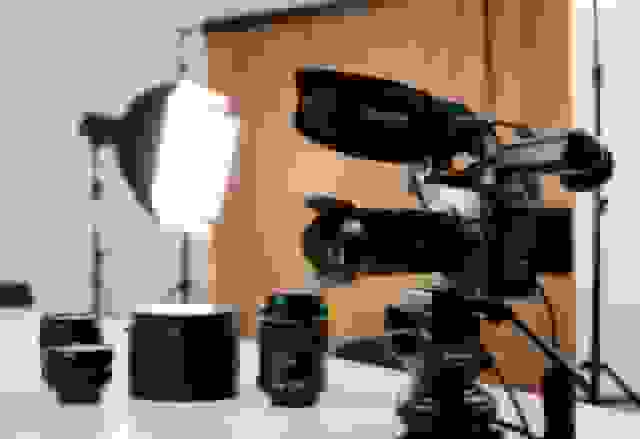
Corporate on-site photography is when a photography team comes to your office and sets up a mini studio to shoot the whole team in one day. HR books the day, employees cycle through in 10-15 minute slots, and everyone ends up with a matching headshot.
The big win is visual consistency -- every headshot on your "About Us" page has the same lighting, background, and crop, which looks clean and intentional.
Where it gets tricky:
- Cost: This is usually the most expensive option when you factor in day rates, equipment transport, and licensing fees
- Scheduling: Getting 50+ people to show up on the right day is a logistics headache, and someone always misses it
- Individual attention: Each person gets a few minutes, so the photographer cannot spend time coaching you into your best shot
- Flexibility: You get one background and one style for everyone
This works well for companies with 20+ employees in one location who need uniform headshots for the website. For smaller teams or remote companies, BetterPic achieves the same visual consistency -- same backgrounds, same style -- without the coordination nightmare and at a fraction of the price.
What Should You Wear for a Professional Headshot?
Wardrobe is one of the few things you have total control over, and it makes a bigger difference than most people expect.
Stick with solid colors in medium tones -- navy, charcoal, deep green, and burgundy photograph well on almost everyone.
Here is what works:
- Solid colors that contrast with your skin tone (avoid matching your background color)
- Well-fitted clothes -- baggy or wrinkled fabric looks sloppy, even in a thumbnail
- Layers like a blazer over a simple top -- they add structure to the frame
- Minimal accessories -- a simple necklace or watch is fine, nothing that catches light or distracts
Here is what to avoid:
- Busy patterns -- stripes, plaids, and small prints create visual noise
- Bright white shirts without a jacket -- they reflect light and wash out your face
- Neon or very bright colors -- they pull attention away from your eyes
- Logos or text on clothing -- distracting and unprofessional
- Too many accessories -- large earrings, chunky bracelets, or flashy ties compete with your face
Match your outfit to your industry. A lawyer should wear a dark suit. A creative director can get away with a fitted black tee. A real estate agent should look approachable in business casual. When in doubt, dress one notch above what you would wear to a normal day at work.
AI generators like BetterPic let you try different outfits virtually, so you can see how you look in a suit vs. business casual vs. a simple button-down before committing to a style.
How Should You Pose for a Professional Headshot?
Most people freeze up in front of a camera, and it shows. The goal is to look natural, confident, and approachable -- not stiff or overly posed.
Turn your body about 15-30 degrees from the camera while keeping your face pointed forward. This slims your profile and adds dimension.
Tips that actually help:
- Push your forehead slightly toward the camera -- it sounds weird, but it defines your jawline and prevents double chin
- Relax your shoulders -- drop them down and back before each shot
- Think of something genuinely amusing right before the shutter -- it creates a natural micro-smile that reaches your eyes
- Keep your chin level -- tilting up looks arrogant, tilting down looks timid
- Make direct eye contact with the lens -- it creates connection with whoever is viewing the photo
- Keep your mouth slightly open -- a closed mouth can look tense; a slight part looks more natural
Avoid crossing your arms (looks defensive), tilting your head too far (looks unsure), or going for a full-teeth smile if it does not come naturally to you. A genuine, relaxed expression beats a posed one every time.
What Lighting Works Best for Professional Headshots?
Lighting is the difference between a headshot that looks professional and one that looks like a passport photo.
The ideal setup is soft, directional light hitting your face at a 30-45 degree angle from slightly above eye level. This creates gentle shadows that add depth without being harsh.
Three lighting setups that work:
- Window light (DIY): Face a large window with indirect light. This is free and surprisingly effective. Pull curtains or use a white sheet to diffuse strong sunlight.
- Two-light studio setup (photographer): A key light at 45 degrees and a fill light on the opposite side. This is the standard portrait lighting that photographers use.
- Ring light (budget option): Provides even, flat light that eliminates most shadows. Good for video calls and basic headshots, though it can look a bit flat for professional use.
What to avoid:
- Overhead fluorescent lights -- they create dark shadows under your eyes and nose
- Direct sunlight -- it makes you squint and creates harsh, unflattering shadows
- Mixed light sources -- a window on one side and a lamp on the other creates weird color casts
- Backlighting -- light behind you turns your face into a silhouette
Good lighting is the single biggest factor in headshot quality. Get it right and even a phone camera can produce respectable results.
What Background Should You Use for a Professional Headshot?
Your background should be boring on purpose. It is there to make your face stand out, not to tell its own story.
The safest choices are solid grey, soft white, or muted blue -- they work for every industry and every skin tone.
Here are your options:
- Solid neutral (grey, white, navy): The universal standard. Works for LinkedIn, company websites, business cards, and everything else. This is the default for a reason.
- Subtle office environment: A blurred-out bookshelf or conference room. Adds context without distraction. Good for real estate agents, consultants, and people in client-facing roles.
- Outdoor environmental: A city street, park, or architectural background with heavy blur. Works for creative professionals and industries where approachability matters more than formality.
What to avoid in backgrounds:
- Cluttered rooms -- bookshelves with visible titles, family photos, dirty dishes
- Bright or patterned walls -- floral wallpaper, bright red paint, exposed brick (unless you are in a creative field)
- Other people -- even blurred, they pull attention
- Your car, bathroom, or bedroom -- it happens more often than you would think
BetterPic gives you a selection of backgrounds for every shot -- studio grey, modern office, outdoor, and more -- so you can pick the right one for each platform without re-shooting.
What Are LinkedIn's Exact Photo Requirements?
LinkedIn has specific technical rules for profile photos, and getting them wrong means your headshot either looks blurry or gets awkwardly cropped.
LinkedIn recommends uploading at 2400x2400 pixels for the best quality across all devices. The platform crops every photo into a circle, so keep your face centered with room around the edges.
Here are the exact specs:
- Minimum size: 400x400 pixels
- Maximum size: 7680x4320 pixels
- Recommended: 2400x2400 pixels
- File format: JPEG or PNG
- Max file size: 8 MB
- Aspect ratio: 1:1 (square)
- Display: Shows as 200x200 on desktop, 400x400 on mobile
How to Optimize Your Photo for LinkedIn's Circular Crop
LinkedIn displays your photo in a circle, which means the corners get cut off. If your head is too close to the edge of the frame, you will lose the top of your head or the sides of your face.
Your face should take up about 60-70% of the frame, with your eyes positioned in the upper third of the image.
Best practices for LinkedIn specifically:
- Center your face with equal space on all sides
- Leave headroom -- do not let the top of your head touch the edge
- Direct eye contact with the camera
- Solid or simple background -- busy backgrounds look messy in a small circle
- Business professional or business casual attire that fits your industry
AI headshot generators like BetterPic automatically format images for LinkedIn's circular crop, so you do not have to guess whether your face will be cut off.
Technical Specs for Other Platforms
Your headshot will show up in more places than just LinkedIn. Here are the specs for the most common ones:
| Platform / Use | Recommended Size | Aspect Ratio | Format | Max File Size |
|---|---|---|---|---|
| 2400x2400 px | 1:1 (Square) | JPEG, PNG | 8 MB | |
| Company Website | 800x1000 px | 4:5 (Portrait) | JPEG | 500 KB |
| Email Signature | 300x300 px | 1:1 (Square) | JPEG, PNG | 50-100 KB |
| Business Cards (Print) | 2x2.5 in @ 300 DPI | 4:5 (Portrait) | TIFF, JPEG | No limit |
| Zoom Background | 1920x1080 px | 16:9 (Wide) | JPEG | 2 MB |
| 1080x1080 px | 1:1 (Square) | JPEG | 8 MB |
BetterPic generates images at 4K resolution (3840x2160 pixels), which exceeds the requirements for every platform on this list. You can crop and resize from there without losing quality.
What Do Different Industries Expect From Headshots?
Not all professional headshots look the same, and they should not. A lawyer's headshot and a startup founder's headshot serve different purposes and send different signals.
Match the tone of your headshot to the expectations of the people who will be looking at it.
| Profession | Attire | Background | Expression | What It Should Communicate |
|---|---|---|---|---|
| Real Estate Agents | Business casual | Outdoor or local landmarks | Warm smile, friendly | Trustworthy, local, personable |
| Lawyers | Dark suit, conservative | Solid neutral (grey, navy) | Confident, direct gaze | Authority, competence |
| Healthcare | White coat or scrubs | Clinical white or soft blue | Compassionate smile | Trustworthy, caring |
| Corporate Executives | Tailored suit | Office setting or solid grey | Composed, slight smile | Leadership, polish |
| Creative Professionals | Smart casual, on-brand colors | Studio or urban setting | Energetic, authentic | Innovative, personable |
| Sales and Marketing | Business professional | Bright, modern setting | Engaging smile | Energetic, results-driven |
| Tech and Startups | Business casual, no tie | Modern office or casual | Relaxed, approachable | Collaborative, accessible |
Your LinkedIn headshot can be slightly more formal than your company bio photo, even in the same role. A real estate agent might use a warm, casual shot for Zillow and a more polished one for LinkedIn. Having both is easy when you are generating multiple versions.
BetterPic offers industry-specific templates so you can generate a conservative version for formal directories and a more relaxed version for social platforms -- all from the same upload.
What Are the Most Common Professional Headshot Mistakes?
Some headshot mistakes are obvious. Others are subtle enough that you do not notice them -- but everyone viewing your profile does.
76% of hiring managers say they have judged a candidate negatively based on an unprofessional profile photo.
Here are the mistakes to watch for:
1. Bad Lighting
Overhead fluorescent lights cast shadows under your eyes and nose that make you look tired. Direct sunlight makes you squint. Mixed light sources create odd color casts on your skin. If the lighting is wrong, nothing else can save the shot.
2. Distracting Background
Cluttered bookshelves, unmade beds, open browser tabs on a monitor behind you -- all of these pull attention away from your face. Your background should be forgettable.
3. Wrong Outfit for Your Industry
A hoodie undermines credibility in finance. A full suit looks stiff for a design agency. The outfit should match what your audience expects to see.
4. Bad Framing
Too much empty space above your head. Chin cut off at the bottom. Shot from too far away so your face is tiny. The sweet spot is mid-chest up, with your eyes in the upper third of the frame.
5. Forced Expression
Everyone can spot a fake smile. If your eyes are not involved, the smile reads as uncomfortable rather than approachable. A natural, relaxed expression -- even without a full smile -- beats a forced grin.
6. Low Resolution
Pixelated, blurry, or heavily compressed images scream amateur. Your headshot should be at least 2400x3000 pixels for flexibility across platforms. Skip the Instagram filters.
7. Outdated Photo
If your headshot is from five years ago and you look noticeably different now, it creates a trust problem the moment someone meets you in person. Keep it current.
8. Wrong Crop for the Platform
Uploading a wide horizontal image to LinkedIn means the platform crops your face awkwardly. Always check how your photo will display before uploading.
AI tools like BetterPic avoid most of these problems by default -- the lighting is always studio-grade, the backgrounds are clean, the framing is correct, and the output resolution exceeds every platform's requirements.
How Often Should You Update Your Professional Headshot?
Plan to update your headshot every 1-2 years, or right away if your appearance has changed noticeably.
67% of people say they find it "concerning" when someone looks significantly different from their professional photo. That credibility gap is especially damaging in client-facing roles where trust is everything.
Update your headshot when:
- You have gained or lost significant weight
- You have changed your hairstyle or color
- You have grown or shaved facial hair
- You have switched from glasses to contacts (or the reverse)
- You have moved into a different industry that expects a different look
- Your current photo is more than 2-3 years old
How Often by Industry
| Industry | Update Frequency | Why |
|---|---|---|
| Actors and Models | Every 6-12 months | Casting directors need current looks |
| Real Estate Agents | Every 12-18 months | Clients meet you in person regularly |
| Sales Professionals | Every 12-24 months | Personal branding matters in sales |
| Corporate Executives | Every 18-24 months | Consistency matters, change is slower |
| Lawyers and Consultants | Every 24-36 months | Established reputations, less frequent change |
| Job Seekers | Before each search | Recruiters expect a current photo |
Why AI Makes Regular Updates Practical
One of the biggest reasons people let their headshot get stale is cost. Spending $300-$500 every year on a photographer feels excessive, so they put it off and end up with a five-year-old photo.
At $29-$49 per session, BetterPic makes it realistic to update your headshot every year -- or even every time your look changes. Take a few new selfies, upload them, and have fresh professional headshots in under two hours. No scheduling, no travel, no sticker shock.
What 32 Million Headshots Taught Us About Professional Photography
After generating over 32 million professional headshots for individuals and teams across 80+ countries, here are the patterns we have observed:
- The average professional headshot is replaced every 2.3 years. Among returning BetterPic customers, the median gap between orders is 27 months, closely matching industry recommendations to update every 1-2 years.
- Solid neutral backgrounds outperform everything else. 71% of our professional headshot orders use white, light gray, or navy backgrounds. Office and outdoor settings account for the remaining 29%.
- Expression matters more than attire. In tests with our quality scoring system (Sentinel), headshots with natural, relaxed expressions scored 23% higher on perceived approachability than those with formal, rigid poses, regardless of clothing.
- Women are 1.4x more likely to order professional headshots than men. This gap narrows significantly in team orders, where participation is uniform.
- Delivery speed has increased 3x since 2024. The median turnaround for a BetterPic headshot order has dropped from 2 hours in early 2024 to under 40 minutes in 2026, thanks to infrastructure improvements through our partnership with Runflow.
Frequently Asked Questions About Professional Headshots
Are AI headshots good enough for LinkedIn?
Yes. High-quality AI generators like BetterPic produce 4K images that are visually indistinguishable from traditional studio photography. LinkedIn's own algorithm prioritizes clear, well-lit facial recognition, which is exactly what AI tools are built to deliver. For the vast majority of professionals, AI headshots are more than sufficient for LinkedIn and most other digital platforms.
How much do professional headshots cost?
It depends on the method. Traditional studio sessions run $200 to over $1,000, depending on the photographer and your city. AI generators like BetterPic charge $29-$49 for a full set of professional images. Corporate on-site photography typically costs thousands of dollars for a full-day shoot. DIY is free but often requires multiple attempts and editing software.
What should I wear for a professional headshot?
Solid colors in medium tones work best -- navy, charcoal, deep green, and burgundy are safe bets. Avoid busy patterns, bright white shirts without a jacket, and anything with logos or text. Match your formality to your industry: suit and tie for finance and law, smart casual for tech and creative fields.
Can I use my phone for professional headshots?
A modern phone can take decent headshots if you have excellent natural lighting and a steady tripod setup, but the results usually lack the depth and polish of professional work. That said, your phone is perfect for taking the input photos that AI generators need. Upload casual phone photos to BetterPic and the AI handles the rest, producing output far better than the phone camera alone.
How long do professional headshots take?
AI generators deliver final images in under 2 hours. Studio sessions take 1-2 hours for the shoot plus days or weeks for editing. Corporate on-site sessions take about 15 minutes per person but require weeks of organizational planning. DIY can take anywhere from 30 minutes to several hours of trial and error.
Do I need a headshot for my resume?
In the United States, photos on resumes are generally discouraged to avoid bias, unless you are in acting or modeling. However, you absolutely need a professional headshot for your LinkedIn profile -- recruiters check it almost every time. In many European and Asian job markets, a professional photo on your CV is standard practice.
Which Method Is Right for You?
Choosing comes down to three things: your budget, how soon you need the photos, and what level of quality your situation demands.
- Choose BetterPic (AI) if you want high-quality results fast, need multiple looks and backgrounds, want to keep costs low, or simply do not want the hassle of booking and traveling to a photographer. This is the best fit for most professionals.
- Choose a studio photographer if you are a senior executive, actor, or public figure who needs specific creative direction and has the budget for it.
- Choose DIY if you have zero budget, a decent camera, real photography skills, and the patience to get it right.
- Choose corporate on-site if you are managing a team of 20+ people in one location and need everyone to have matching headshots.
For most people reading this, the right answer is BetterPic. Upload your photos, get your results in under two hours, and move on with your day -- with a headshot that actually represents you well.
Sources & References
- LinkedIn Profile Photo Tips — LinkedIn
- How Your Profile Photo Impacts Your LinkedIn Presence — LinkedIn Official Blog
- AI Image Generation Market Report — Grand View Research
- How AI Is Changing Photography — Forbes
- Professional Headshot Photography Pricing — Thumbtack

Written by
Apoorv SharmaHead of Performance
Apoorv leads performance and growth at BetterPic with 9+ years of experience across SEO, SEM, and growth marketing. He oversees content strategy, data-driven marketing, and hands-on testing of AI headshot platforms. Previously held senior performance marketing roles across the US, Belgium, and India.
- Google Analytics & Google Ads certified
- HubSpot Inbound & Content Marketing certified
- 9+ years in SaaS growth and performance marketing
Related professional headshots for individuals resources
Keep exploring this topic with focused resources from the B2C journey.
Primary destination:BetterPic homepage
Frequently Asked Questions
How can one ensure their clothing choice enhances their professional headshot?
- Choose clothes that fit well and reflect your industry. Solid colors often work best. Avoid busy patterns or logos that can distract from your face. Bring a few outfit options to your session for variety.
What are the key elements that make a headshot look professional?
- A clean, simple background helps keep the focus on you. Good lighting flatters your features. A genuine smile or neutral expression conveys confidence. High-quality, sharp images are essential.
What is the typical price range for professional headshot services?
- Prices vary based on location and photographer experience. Basic sessions may start around $100-$200. More comprehensive packages with multiple looks and retouching can range from $300-$1000 or more.
Can artificial intelligence tools be used to generate professional headshots?
- While AI image generation exists, it's not recommended for professional headshots. Real photos capture authentic expressions and details that AI may miss. Employers and clients expect genuine representations.
What are some tips for finding a reputable photographer for professional headshots?
- Look at photographers' portfolios to assess their style and quality. Read reviews from past clients. Ask about their experience with headshots specifically. Discuss your needs and goals before booking.
What are common mistakes to avoid when taking a professional headshot?
- Overdoing makeup or hairstyling can look unnatural. Choosing unflattering angles or poses may not showcase your best features. Skipping photo editing can leave images looking unprofessional. Not preparing properly for the shoot often leads to subpar results.
Save 87%on average on your professional photos.
Whenever, wherever you are.
Get studio-quality, 4K images in a variety of outfits & settings in less than an hour.
Get your headshots nowStart now